A recent photo
Taken within the last 6 months and reflecting your current appearance.
YOUR APPLICATION PHOTO, EXPLAINED · LOCAL TOOLS
Your photo is more than a file to upload. Understand the requirements, review the original and compare official examples before preparing the final size.
PhotoCheck is a MyDocPhoto tool · No account needed
BEFORE YOU SUBMIT
A completed entry receives a confirmation number for checking its status. That number is not a certificate of photo compliance or satisfaction of all eligibility requirements.
Your photo is an important entry requirement. Review it before applying rather than relying only on successful file upload.
Source: DV entry — U.S. Department of StateA GOOD PHOTO STARTS AT THE CAMERA
These are starting points. Review the complete instructions and official exceptions before applying.
Taken within the last 6 months and reflecting your current appearance.
White or off-white background with a clearly visible face and no distracting shadows.
Face the camera, keep your eyes open and avoid digital retouching.
START WITH THE ORIGINAL
You may find the camera name, capture date and saving software. These can help compare a file with what you know about the photo session; they are not a record of every device it passed through.
If Photoshop appears, ask for the original when available. If metadata is missing, do not treat that as proof the photo was never edited.
Understand photo metadata & Photoshop indicatorsAN INFORMED VISUAL REVIEW
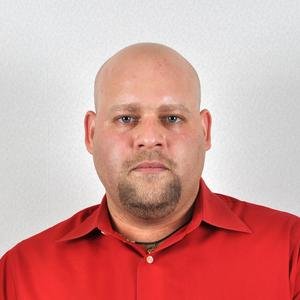
Inspect hair and shoulder edges and shadows. Appearance alone cannot prove editing or originality; the preview helps identify questions for your photographer.
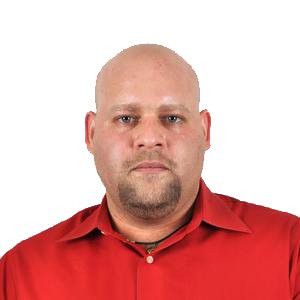
The photo used in this example after changing its background to white.
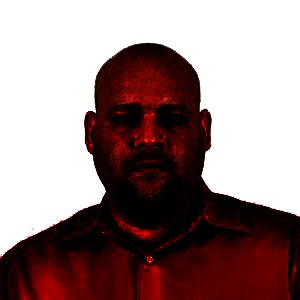
In the tonal enhancement preview, this example’s background remains fully white and the subject edges stand out.
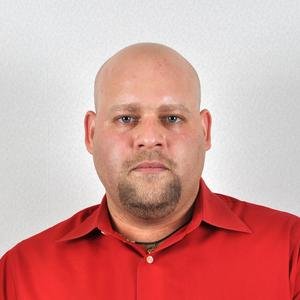
The corresponding photo with its original studio background, before tonal enhancement.
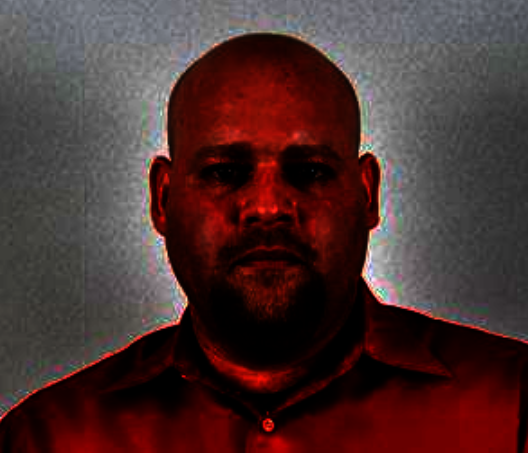
The preview reveals differences in background tones, shadows and lighting. These can result from studio light placement, reflected light, and the distance between the subject and background.
View examples and measurement guidance in our guide
Choose a category and thumbnail to read the reason and tip. Comparison supports review but does not guarantee official acceptance.
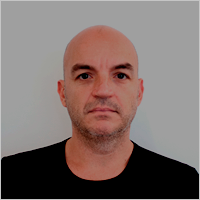
Unacceptable — Underexposure
Photo tip: Improve lighting and retake.
MYDOCPHOTO TOOLS
Check and prepare your application photo.
Start with the original, read its metadata and review the background manually. Then adjust the crop and head/eye measurements. Download the prepared JPEG and its report.
Check & prepare your photoDoes not prove authenticity or guarantee acceptance or selection.Your photo stays on your device.
Recorded information and manual review.
Mark the head top, chin and eyes.
Keep the original and its metadata separately.
ONE PRACTICAL STEP TODAY
A properly prepared studio setup saves you from trying to fix the photo later.
I need a recent application photo with a white or off-white background and even lighting. Please do not digitally replace the background or retouch my appearance. Send the original file before retouching or re-saving.
READ BEFORE PREPARING
COMMON QUESTIONS
No. A confirmation number lets you track a completed entry; it is not a photo-compliance report. Keep it and review the requirements before submitting.
No. It helps you review the photo and prepare the file. The photo is not the only eligibility requirement, and applicants are selected through the program’s random drawing.
The program name does not reveal the type of edit. Ask for the original if concerned and compare it with the delivered image. Missing software tags do not prove an image is unedited.
The final photo is cropped and re-encoded without copying camera metadata. You can download an identical copy of the original and a separate report of available original metadata.
PhotoCheck processes images locally in your browser. We do not send your image file or its metadata to a server or analytics tools.